If your organization is working with one of Valor’s partners, you can easily accept their affiliation request and access any special offers available to you. This can happen either during sign-up or later from your account dashboard.
Step 1: Accept the Partner Invitation
Option 1: Non signed-up user
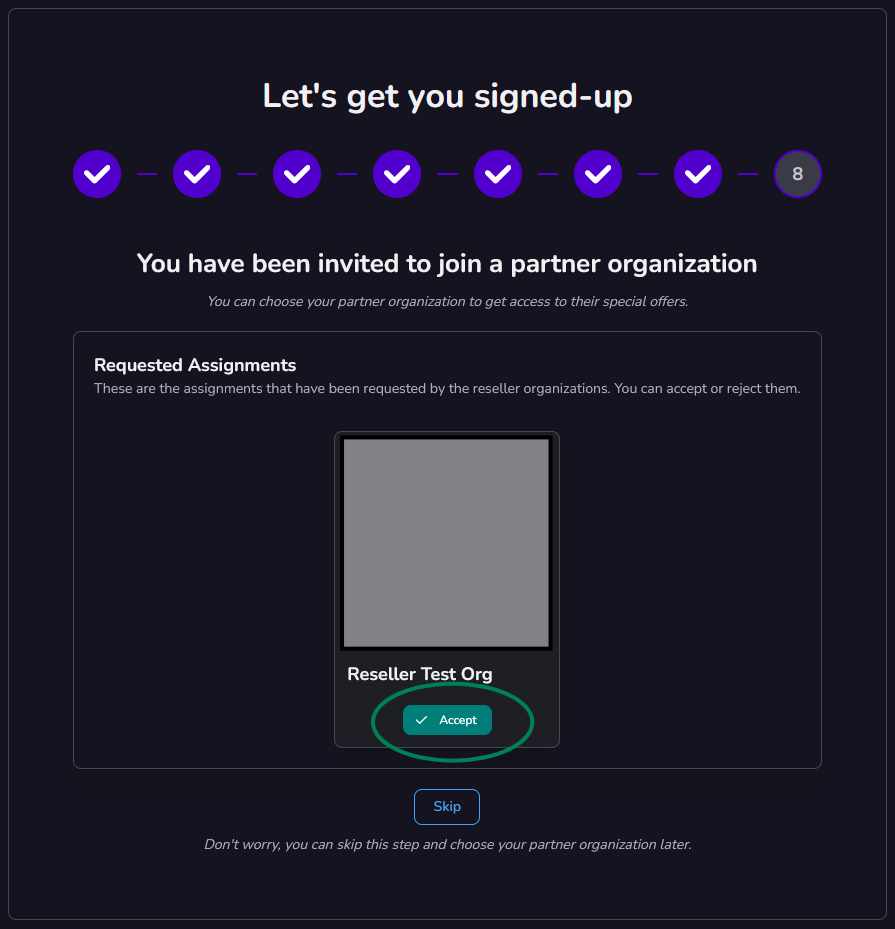
If your partner has already invited you before you created your account, you will see the invitation during the sign-up process, Simply click Accept Invitation to confirm the affiliation.
Option 2: Signed-up users
If you already have an account, you can accept or join a partner directly from your dashboard.
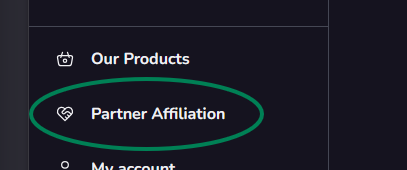
In the top navigation bar, click Partner Affiliation.
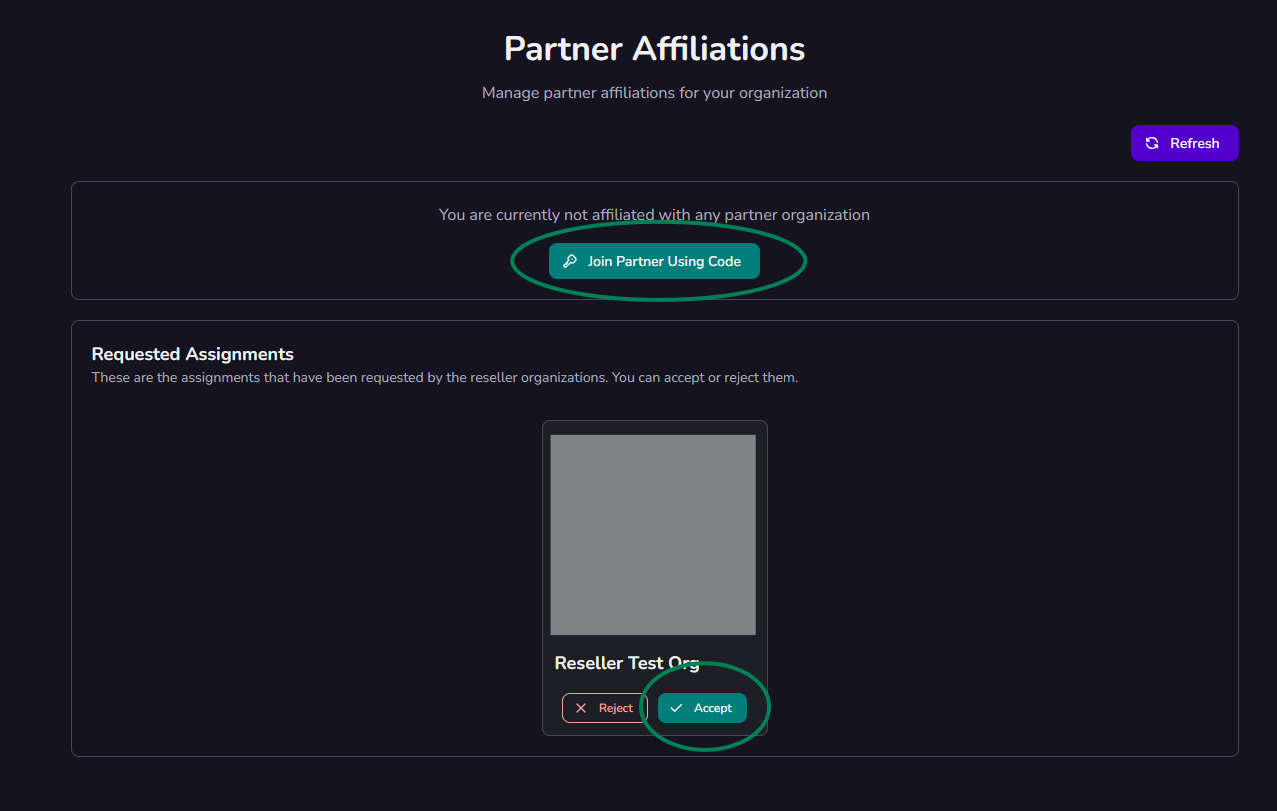
You’ll see two options:
Join Partner Using Code – if your partner provided you with a unique code, enter it here to link your account.
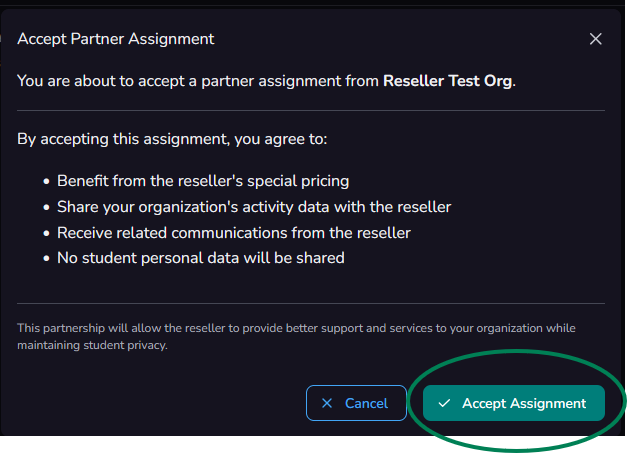
Accept Affiliation Request – if your partner sent you an invitation, click this option to approve it.
Once completed, your organization will be affiliated with your partner.
Step 2: Redeem Partner Special Offers
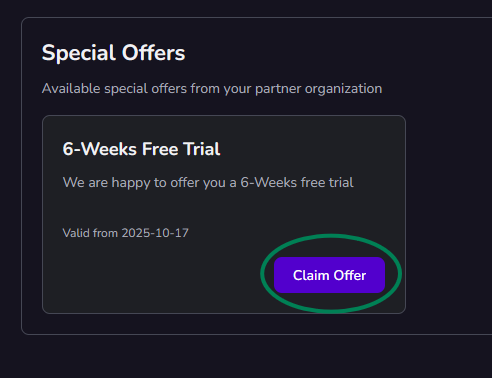
After your affiliation is confirmed, any available special offers will appear in the Partner Section below your affiliation details.
To claim one:
Review the available offer.
Click Claim to activate it.
Once claimed, your offer will be automatically applied to your organization account.
Was this article helpful?
That’s Great!
Thank you for your feedback
Sorry! We couldn't be helpful
Thank you for your feedback
Feedback sent
We appreciate your effort and will try to fix the article